









KLUG – The device
The ZIMO KLUG is the new compact loading and update device for ZIMO decoders. It is versatile, handy and inexpensive – thus it does not have a display and requires a connection to a computer (Windows) and a decoder loading and update programme (see below).
A decoder can either be plugged directly into the ZIMO KLUG or connected via the track while remaining in the vehicle without opening it. In addition, the MSTAPK and MSTAPG boards can also be used for connection. The first software version supports all currently produced ZIMO decoders of the MS (sound decoders), MN (non-sound decoders) and FS (function sound decoders) series; from version 0.3.6 (from March 2026) on, it will also support types from the older MX series (NOTE: only with ZPP version 1.26.00 or higher!).
Performance overview
- Software update
Using a PC and ZIMO Sound Editor oder Sound Creator (as in the following). - Sound load
either via track or SUSI interface (particularly fast, < 5 min). - Simultaneous sound load & update of multiple decoders
via multiple MSTAP boards or MultiTAP - Testing decoders
in the MSTAP test and connection boards or in the model,
10 V test operation and switching of functions (max 400 mA) with virtual controller
in Sound Editor or Sound Creator, e.g. after software update or sound load. - CV programming and CV reading
- Self-update of the KLUG
KLUG update page ➔
Note: SUSI cable included in delivery. Data-capable USB-C cable available as an accessory.
Technical data
Interfaces for direct connection of decoders:
2216 PluX22/16
MTC 21MTC
Next Next18
E24 E24
651 NEM651
Maximum current output at the track output
(stabilised at Vout = 10 V)400 mA
Dimensions L x W x H 68 x 41 x 7.5 mm
Power supply at USB-C input5 V, min. 900 mA
(A USB port with a minimum load capacity of 900 mA is required for power supply. This is always guaranteed with USB-A 3.0 and USB-C ports. Operation with older USB ports is possible in principle, but is not recommended.)
Connections
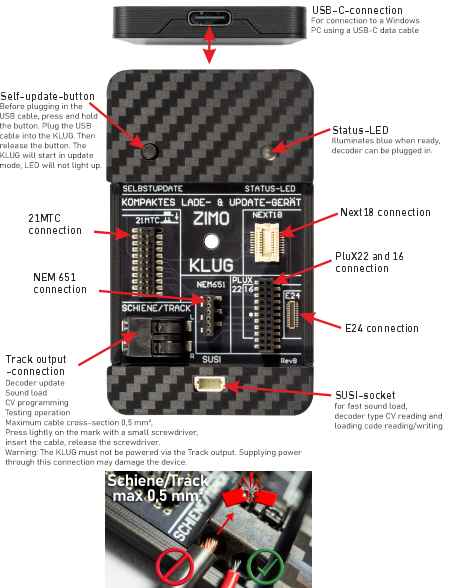
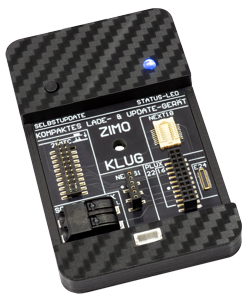
For power supply, the KLUG is connected to a Windows PC via a USB-C data cable ⇒ Status LED lights up blue.
A decoder can be connected to the ZIMO KLUG in several ways. Only one decoder may be connected directly to the KLUG at a time.
Connecting or replacing a decoder is possible when the LED is blue or when the KLUG is disconnected from the USB.
A) Directly to the ZIMO KLUG
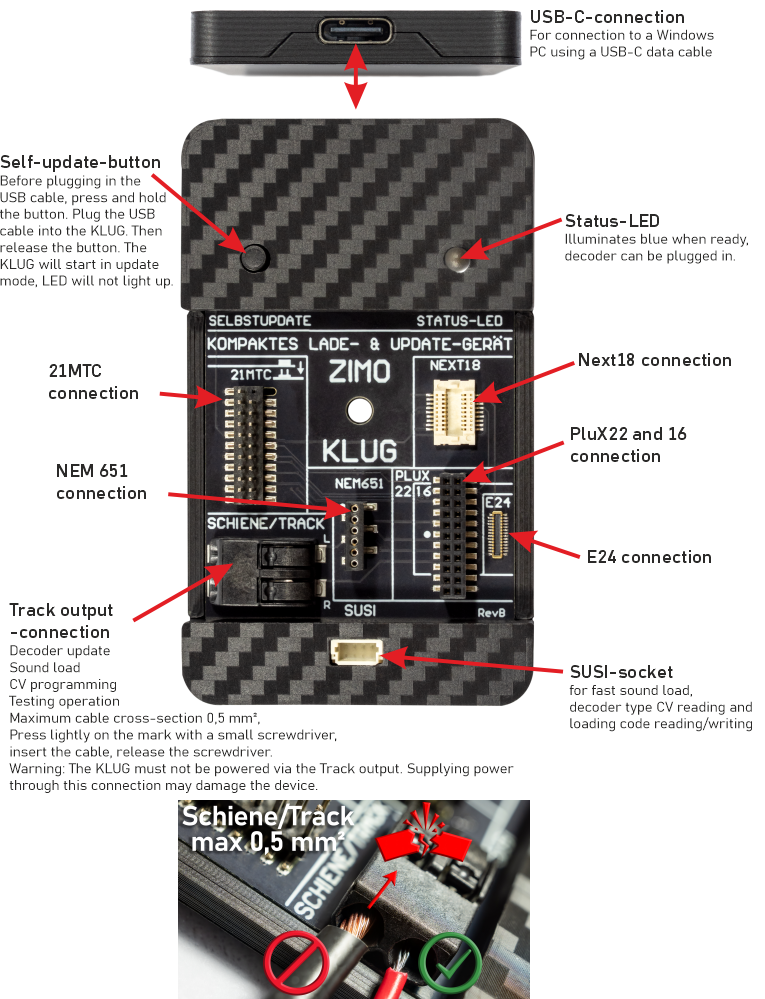
The standardised interfaces PluX16/22, 21MTC, Next18, E24, NEM651 can be used directly for the corresponding decoders (excl. NEM651). This automatically connects the SUSI pins of the decoders, which are used for (fast) sound load of sound projects.
B) On test and connection board MSTAPK2 or MSTAPG
Wired decoders, NEM652 decoders and large-scale decoders can be connected via a test and connection board MSTAPK (K = small) or MSTAPG (G = large-scale); these boards also allow decoders (all types, including non-ZIMO) to be tested using a kind of simulated locomotive (motor, loudspeaker, LEDs, etc.).
C) At the TRACK output of the ZIMO KLUG (decoder in the vehicle)
The decoder is updated with a software update or a new sound project within a vehicle (without opening it). To do this, the TRACK output of the ZIMO KLUG is connected to a single piece of track, the so-called "update track". The transfer of a sound project takes significantly longer via the track connection than via SUSI; approx. 10 times longer.
D) Large-scale decoders: directly to the ZIMO KLUG via SUSI cable
Large-scale decoders such as MS950 or MS990 can be connected directly to the ZIMO KLUG with a SUSI cable.
With large-scale decoders such as MS950, it may be necessary to wait a few seconds (to charge the built-in energy storage device) before starting to load the update or sound.