- ZIMO Home
- Sound Design
- ZCS
- ZIMO GURU (FAQ)
- Links zu Partner Websites










ZIMO CV Setting (and much more ...)
This tool was originally developed by Oliver Zoffi as a private initiative and made available to fellow model railway enthusiasts. The name ZCS - ZIMO CV Setting also dates from this time, although the current scope of tasks extends beyond this. ZCS is now being continuously developed by
Matthias Manhart, on whose website www.beathis.ch/zcs
downloads and version descriptions can be found
(i.e. NOT here on the ZIMO website).
Since 2020, ZCS has also taken on the role of a ZIMO system support centre in addition to its basic function of decoder configuration. Here, for example, "GUIs" (graphical user interfaces) such as images, function symbols, speedometer discs, etc. can be assigned to the vehicles to be controlled, or current thresholds can be set.
In its basic function, CV handling for decoder configuration, ZCS provides a series of convenient settings windows for individual configuration topics, i.e. for areas such as driving characteristics, function mapping, sound assignments, etc.
Of course, ZCS requires tools for data exchange with the decoders (basically the same as ZSP – the ZIMO Sound Programmer); the following are available for this purpose:
- MXULF – the ZIMO decoder update and sound load device
(since 2012, with major software expansion in 2020 for MS decoders);
suitable for editing CVs, updating software, performing a sound load on decoders and creating GUIs (graphical user interfaces) - KLUG – the compact loading and update device;
it performs the same functions as MXULF in a PC environment. - MX10 - the control centre of the current digital system, suitable for editing CVs, updating decoder software and transferring GUIs created or modified by the ZCS (for forwarding to control devices such as MX32/33, ZIMO App, etc.).
- MX1 – the control centre of the ‘old’ system generation, suitable for editing CVs, but NOT for updating the software and performing a sound load on the decoders, and of course NOT for GUI editing.
- MX31ZL – the central control panel from this ‘old’ generation, as above.
ZCS for sound projects & sound decoders
An outstanding feature of the ZIMO Sound Design is the high degree of configuration options available through CVs and therefore the modifiability of the loaded sound projects through ZCS. Many of the "sequence sounds" (i.e. those that are played automatically based on the driving situation) are also completely defined by CVs; this also applies, for example, to the main sounds of electric locomotives such as Thyristor control and traction motor.
In the original and probably most frequently used function, the configuration of ZIMO decoders, mainly ZIMO sound decoders, where the initial values of the CVs are determined by the sound projects (and not by the decoders' own default values), there are two ways of working:
- ZCS as a tool for modifying a sound project at the .zpp file level; an existing .zpp file is opened in ZCS, modified, and a new zpp file (with a new name) is saved; no vehicle or decoder is required for this process; the result can be loaded into one or more ZIMO sound decoders later.
- As a tool for modifying the decoder CVs in real time: the CVs of the addressed decoder are programmed individually or in ranges; normally, "Operational Mode", POM within the target vehicle. The effect of these changes can be tested immediately using the internal ZCS controller or a "normal" ZIMO controller. Of course, a new .zpp file can also be created and saved here. The real-time option is a characteristic feature of ZCS that distinguishes it from many other configuration programmes.
ZCS for creating "GUIs" for vehicles,
and other tasks in ZIMO system support
ZCS, the ZIMO CV Setting, is increasingly taking on system configuration tasks. Since version 4.16.000 of ZCS (9 October 2020), the following are offered:
- MX10 parameter settings (menu item "MX10 settings", voltages, currents, ... and other data as shown on the MX10 display),
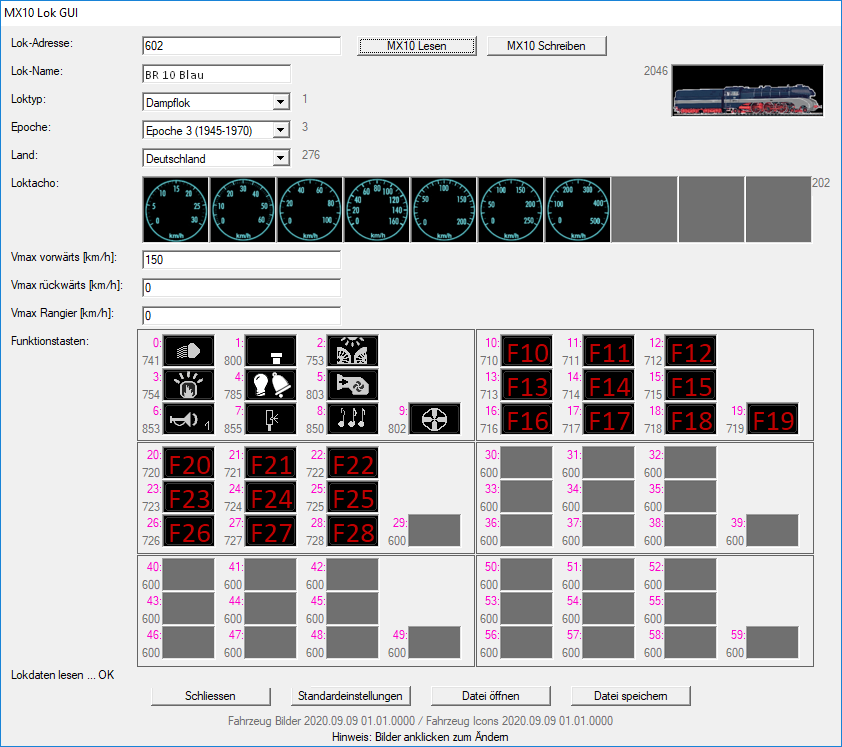
- Creation or modification of the GUI elements (GUI = Graphical User Interface) of the vehicles to be displayed on ZIMO controllers, i.e. name, locomotive image, SPEEDO design and values, function symbols (among other things later). This is much more convenient for the user than doing it on the devices themselves.
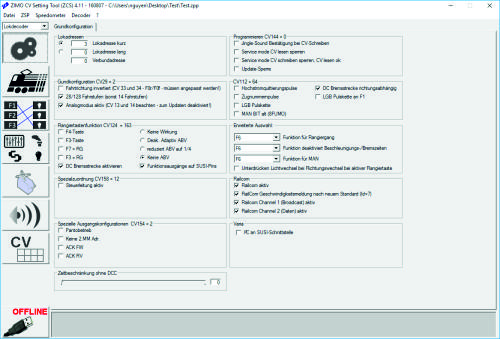
ZSP General settings
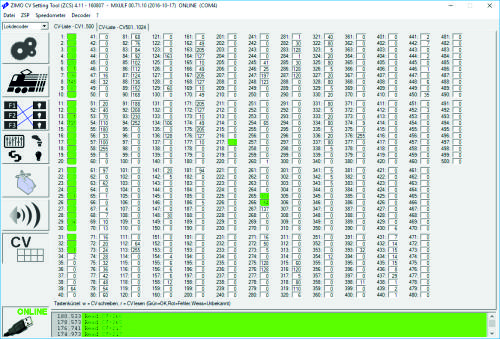
CV overview for group programming/reading
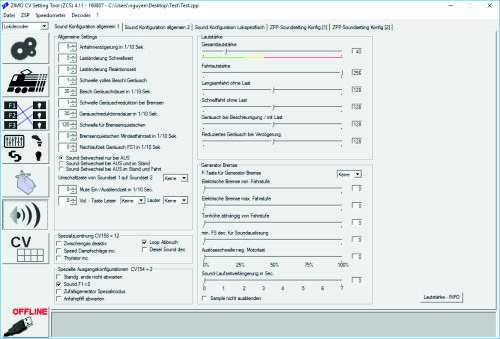
Special sound settings
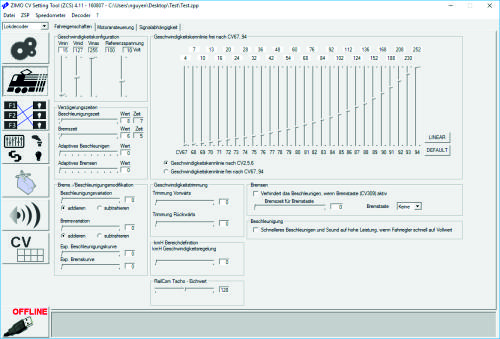
Control and acceleration behaviour