| V1.26.00 | 6 March 2026 |
Changes:
- New script display
- In the script command ‘Generate random number’, min/max values can now also be saved in CV
- New functions under ‘Function Keys’ in ZPPKonfig
- In ZPPKonfig, CV sets (including scripts) can now be created for MN decoders and loaded directly into the decoder
- Sound load and updates via the track into MX decoders
now also possible with KLUG
- Loading sound/CV sets and installing updates via the track into MS/FS/MN decoders is now also possible with MXULF
- NMRA mapping added to the mapping window
- Bug fix: ZSP would not start on some PCs
Note:
ZIMO firmware flasher integrated into ZSP and ZPP configuration since version 1.25.00.
|
Changelog:
- New script display
- In the script command “Generate random number”, min/max values can now also be saved in CV
- New functions in ZPPKonfig under function keys
- CV sets (including scripts) for MN decoders can now be created in ZPPKonfig and loaded directly into the decoder.
- Loading sound/CV sets and installing updates via the track in MX decoders
is now also possible with KLUG.
- Loading sound/CV sets and installing updates via track in MS/FS/MN decoders is now also possible with MXULF
- NMRA mapping added to the mapping window
- Bug fix: ZSP could not be launched on some PCs
Note:
The ZIMO firmware flasher has been integrated into the ZSP and ZPP Konfig since version 1.25.00.
|
| V1.25.00 | 3 October 2025 |
Changes:
- ZIMO KLUG is supported
- ZIMO firmware flasher integrated into ZSP and ZPP Config
|
Changelog:
- ZIMO KLUG supported
- ZIMO firmware flasher integrated into the ZSP and ZPP configuration
|
| V1.24.7 | 10 March 2025 |
Changes:
- Number of events (global variables) in the script increased to 16 (from MS V5.10.0 onwards)
- The ‘Change variable’ script command can now also be applied to events
- A new parameter, ‘Current operating mode’, has been added to the ‘Query parameter’ script command to check whether the decoder is currently in digital or analogue mode
- A new ‘Source’ parameter has been added to the ‘Set CV’ script command to allow CV values to be temporarily stored in a variable and restored
- Fixed a bug in ZPP Config that prevented imported scripts from being opened or deleted
|
Changelog:
- Script simulator extended to 16 events (from MS V5.10.0)
- The ‘Change variable’ script command can now also operate on events
- Script command ‘Query parameter’: new parameter ‘Current operating mode’ added to check whether digital or analogue mode is active
- Script command ‘Set CV’: new parameter ‘source’ added to save and restore CV values in a variable or event
- Bug fix in ZPP configuration: imported scripts could no longer be opened or deleted
|
| V1.24.00 | 23 December 2024 |
Changes:
- CV pages for MS decoders have been added (allowing audio filter and servo 5–8 settings to be saved in the project)
- CVs can now be switched on or off individually. For CVs that are switched off, the decoder’s default value applies.
- CVs can now have different values in each locomotive set (switchable via CV265) (currently only supported by MS decoders)
- Locomotive sets now have a customisable reference to one of the 32 chuff or diesel sequence running sets (can be changed in ZSP in the ‘Locomotives’ window)
- A documentation window for function keys and decoder connections has been added (custom columns can be defined for connections)
- It is now possible to switch between MX and MS decoders to obtain CV descriptions appropriate to the decoder type
- Sounds at 44kHz or 16-bit are now automatically reduced to 22kHz/8-bit when an MX decoder is selected
- The script overview now displays information on the buttons, outputs, CVs and sounds used in the script
- When importing scripts, conflicts between script CVs are now detected and can be automatically reordered if desired
- The script simulator can now also be used in ZPP-Config
- Paste CVs from the clipboard by right-clicking on the CV list
- New script commands ‘Read CV’ and ‘Read CV Bit’ have been added to read CVs into a variable in the MS/MN decoder (these can then be tested using ‘Query Variable’)
- ZPP-Config has been expanded to support multiple languages (de/en/fr)
|
Changelog:
- CV pages for MS decoders have been implemented (audio filter and servos 5–8 can now be stored in ZPR and ZPP files)
- All CVs can now have different values in each locomotive within a collection (currently supported only by MS decoders)
- Every CV now has a tick box to deactivate it (so the decoder’s default value is used)
- Loco sets and steam/diesel sets are now separated. Each loco set (controlled by CV265) has a reference to a steam/diesel set, which can be set in the new loco window
- New documentation windows for function keys and decoder connections. In the connection documentation, user-definable columns can be added
- New menu item to switch between MS and MX decoders in ZPP-Konfig
- If an MX decoder is selected, sounds will be downsampled to 22kHz/8bit if necessary (as soon as the file is saved)
- In the script overview, each script now includes a summary of which keys, outputs, CVs and sounds are used in the script
- When importing scripts, CV conflicts are now detected and can be resolved if desired
- The script simulator can now be used in ZPP-Konfig (only sounds added in ZPP-Konfig will be audible)
- Import CVs from the clipboard by right-clicking on the CV list
- New script commands ‘Read CV’ and ‘Read CV bit’ have been added to read CV values into a variable
- Multi-language support has been added to ZPP-Konfig (de/en/fr)
|
| V1.22.06 | 5 September 2024 |
Changes:
- New script commands ‘Set CV’ and ‘Set CV Bit’ have been added to modify CVs in the MS/MN decoder at runtime.
The changes to the CV values are not permanent, but only remain in effect until the next power failure.
- For the ‘Query Parameters’ script command, the parameters ‘Chuff Interval’, ‘Chuff/Expansion’, ‘Chuff Speed Level’, ‘Chuff Load Level’ and ‘Drain Active’ have been added
- The parameters ‘Invert Lights’ and ‘Invert Locomotive Direction’ have been added to the ‘Set Parameter’ script command
- Swiss mapping groups can now be reordered (the top group has the highest priority)
- ZPP Config: MX820 configurator flashing function added
- ZPP Config: Selection of the current locomotive from a collection moved to the menu
- ZPP Config: Added further CV export function
- ZPP Config: Fixed a crash when loading various .zpp files
- ZPP Config: Dragging a feature from ‘Unused’ to ‘F0’ was not working
- New decoder types added
|
Changelog:
- New script commands ‘Set CV’ and ‘Set CV Bit’ added, to change CV values at runtime
CV changes are not permanently saved
- New script parameters ‘Chuff interval’, ‘Chuff/revolution’, ‘Chuff speed index’, ‘Chuff load index’ and ‘Drain active’ added
- Script command 'Set parameter' values 'invert lights direction' and 'invert loco direction' added
- ZPP Config: MX820 configurator now includes a blink function
- ZPP-Konfig: Selection of the current locomotive from the collection has been moved to the menu
- ZPP-Config: CV export functions expanded
- ZPP-Config: Programme crash with certain ZPP files fixed
- New decoder types added
|
| V1.22.00 | 21 December 2023 |
Changes:
- MX820 configuration tool added
(In ZPP Config, under the MXULF > Vehicle and Points Control menu)
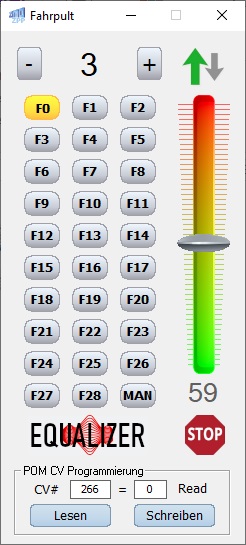
- ZPP-Config: Controller redesigned. Multiple controllers can now be opened. Driving functions can also be controlled via the keyboard.
- ZPP Config: Points control panel added
- ZPP Config: Sounds not assigned to any key are now displayed for unused features
- ZPP Config: New controls for sequence sounds, random generator sounds, switch inputs and servos
- ZSP: French language added
- Names of function outputs are now saved in the .zpp file
- New script command ‘Set Volume’ added to allow the overall volume to be adjusted from within the script
- Added ‘Drive sound on/off’ parameter to the ‘Set Parameter’ script command
|
Changelog:
- ZPP Config: Improved drive cab with new MX820 configuration tool and switch controller
- ZPP Config: Unassigned sounds are now listed under ‘Unused features’ for easy assignment to a key
- ZPP Config: New controls for editing decoder-controlled sounds and servos
- ZSP: French added as a new language
- Names of function outputs are saved to the .zpp file
- New script command ‘Set volume’ added, to change the master volume of the decoder
- New script parameter ‘Drive sound on/off’ added, to control whether the drive sound is on or off
|
| V1.21.39 | 27 April 2023 |
Changes:
- Bug fixed in ZPP_Konfig: Scripts with more than 127 states were saved with the wrong length, and the .zpp file could no longer be opened afterwards
|
Changelog:
- Fixed an error in ZPP_Konfig: scripts with more than 127 states were saved with the wrong length and the zpp file could not be opened afterwards.
|
| V1.21.38 | 28 March 2023 |
Changes:
- Maximum number of chuffs increased to 16
- Added a new parameter, ‘Time unit’, to the ‘Load timer’ script command (for MS decoders only)
- Added a new parameter ‘Invert motor’ to the ‘Set Parameter’ script command (for MS decoders only)
- ZPP Config: Controls added for function outputs triggered by sounds (CV #726–CV #737)
|
Changelog:
- Maximum number of steam strokes increased to 16
- Added a new parameter, ‘Time unit’, to the ‘Load Timer’ script command (for MS decoders only)
- Added a new parameter 'Invert motor' to the script command 'Set Parameter' (for MS decoders only)
- ZPP Config: Added controls for function outputs triggered by sounds (CV #726–CV #737)
|
| V1.21.35 | 14 February 2023 |
Changes:
- The script simulator can now also play looped sounds correctly
- Script names are now saved in the .zpp file
- Script Simulator command ‘Limit speed’ has been added
- Added the value ‘Enable shunting button’ to the ‘Set Parameter’ script command
- Inputs 1–4 added to the Script Simulator
- Bug fix: Crash at 10 chuff levels resolved
- Bug fix: Chuff samples were incorrectly assigned when they were assigned multiple times but in a different order
- Audio filters for MS decoders can now be adjusted in the software controller
- ZPP configuration: Fixed an error with sample event positions
- Issue with PCs featuring Bluetooth COM interfaces resolved
- Fixed an error in the controller during CV programming
|
Changelog:
- The script simulator can now also play looped sounds correctly
Script names are saved in the .zpp file
- Script simulator command ‘Limit speed’ added
- Added the option ‘Activate shunt button’ to the ‘Set Parameter’ command in the script
- Inputs 1–4 added to the script simulator
- Bug fix: Crash occurring after 10 chuff steps has been fixed
- Bug fix: Steam hammer samples were assigned incorrectly if they were assigned multiple times but in a different order
- MS decoder audio filter now adjustable in the software cab (controller)
- ZPP configuration: Bug fix: Sample event positions corrected
- Issue with PCs with Bluetooth COM interfaces resolved
- Error in cab (controller) during CV programming fixed
|
| V1.21.25 | 7 September 2022 |
Changes:
- New script command to set Swiss-mapping PWM groups
- New effects ‘Light flashes’ (100) and ‘Dimming’ (104) added
- ZSP now displays most recently opened projects
|
Changelog:
- New script command “Set PWM group” to change CV #508 to CV #512 at runtime via script
- New light effects “Light flashes” (100) and “Dim down” (104) added to scripts
- Show last opened projects in ZSP
|
| V1.21.23 | 10 May 2022 |
Changes:
- Bug fixed in ZPP_Konfig: Sample event addresses were saved incorrectly, meaning they no longer worked in the decoder
|
Changelog:
- Bug fix in ZPP Konfig: Sample event addresses were saved incorrectly, meaning they no longer worked in the decoder.
|
| V1.21.22 | 14 April 2022 |
Changes:
- ZPP Config: Window size can now be adjusted
- ZPP Config: Button added to open the Swiss mapping dialogue
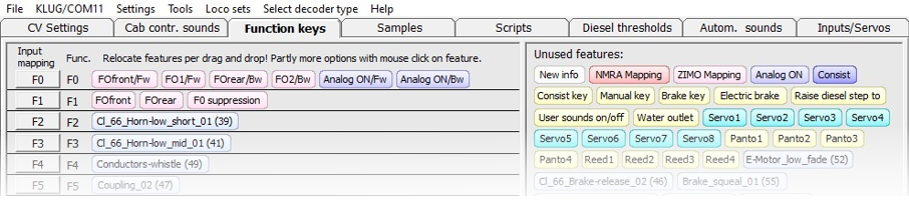
- ZPP Config: Test implementation of a new tab where functions can be changed via drag and drop
- The ZSP main window can now be resized
- ZPP Config can now add custom samples (.WAV files) and scripts to a .zpp file
- ZSP expanded to 8 sample events
- Up to 16 scripts can now be created (for MS decoders only! MX sound decoders only execute the first 8 scripts)
- The ‘Enable clock’ parameter has been added to the ‘Set Parameter’ script command (corresponds to CV #133 bit 0)
- ZPP Config: New ‘Buttons 2’ tab expanded to include all key functions.
Functions can be moved between buttons or deleted via drag and drop; some can be configured via additional functions with a mouse click. Input mapping can be changed by clicking the button on the far left.
- ZPP Config: Steam and diesel thresholds are now adjustable
- ZPP Config: Recently opened .zpp files are displayed
- ZPP Config: Unused sounds can now be removed from the project
- ZPP Config: Bug fix (.zpp files saved in ZCS were not displayed correctly)
- Descriptions are now displayed for CVs #980–#1019 when these are used in a script.
- ZSP: Sample statistics window expanded to include sample name (editable by double-clicking) and status indicating whether it is actively used in the project.
- Various bug fixes
|
Changelog:
- ZPP Config: Window size can now be adjusted
- ZPP Config: Button added to open the Swiss mapping dialogue
- ZPP Config: Test implementation of a new tab in which functions can be changed via drag and drop
- ZSP main window is now resizable
- ZPP Config can add samples (.WAV files) and scripts to a .zpp file
- ZSP expanded from 4 to 8 sample events
- Up to 16 scripts possible for MS decoders (only!)
- The parameter “Activate pulse output” has been added to the script command “Set parameter” (corresponds to CV #133 Bit 0)
- ZPP Config: New ‘key2’ tab expanded to include all key functions.
The functions can be moved or deleted between the keys using drag and drop; some can be configured via additional functions by clicking the mouse. Input mapping can be changed by clicking the leftmost button.
- ZPP Config: Steam and diesel thresholds can now be set
- ZPP Config: The most recently opened .zpp files are displayed
- ZPP Config: Unused sounds can now be removed from the project
- ZPP Config: Bug fix (.zpp files saved in ZCS were not displayed correctly
- CV #980 – #1019 now display descriptions when used in a script.
- ZSP: The sample statistics window has been expanded to include the sample name (which can be changed by double-clicking) and its status if it is actively used in the project.
- Various bug fixes
|
| V1.21.14 | 18 March 2021 |
Changes:
- With the script command “Query Reed Input”, the input can now be set via CV #980–#1019 (values 0–3 for inputs 1–4
It is now possible to query either the current input state or whether the input has been pulled to ground since the last script call (event)
- With the “Switch output on” script command, the output and/or PWM can now be set via CVs #980–#1019
- In the script, when using the ‘Control Locomotive’ command, the drive level can now be set via one of the CVs #980–#1019
- Fixed an error with sample events during 44kHz/22kHz downsampling
- Improved load code input (read serial number and copy to clipboard)
|
Changelog:
- The script command “Query reed input” can now retrieve input from CV #980 to CV #1019
The test can be set to check either the current input state or the input change event since the last script call
- The script command “Switch output on” can now retrieve output and/or PWM from CVs #980 to #1019
- The "Control loco" script command can now retrieve the drive step from one of the CVs #980 to #1019
- Bug fix for sample events when downsampling from 44kHz to 22kHz is used
- Load code window enhanced (read serial number and copy to clipboard)
|
| V1.21.9 | 11 December 2020 |
Changes:
- Default values for CVs #508–#512 changed from 0 to 248
- Crash when memory is very full has been fixed
|
Changelog:
- Default values for CVs #508–#512 changed from 0 to 248
- Crash when sound memory is full fixed
|
| V1.21.6 | 29 September 2020 |
Changes:
- Crash when exceeding the maximum permitted 256 samples fixed
- The “Start sound” script command can now pass volume values to CV #980–CV #1019
- Light effects expanded
- Crash when saving .zpp files fixed
- Loading code can now also be programmed via SUSI
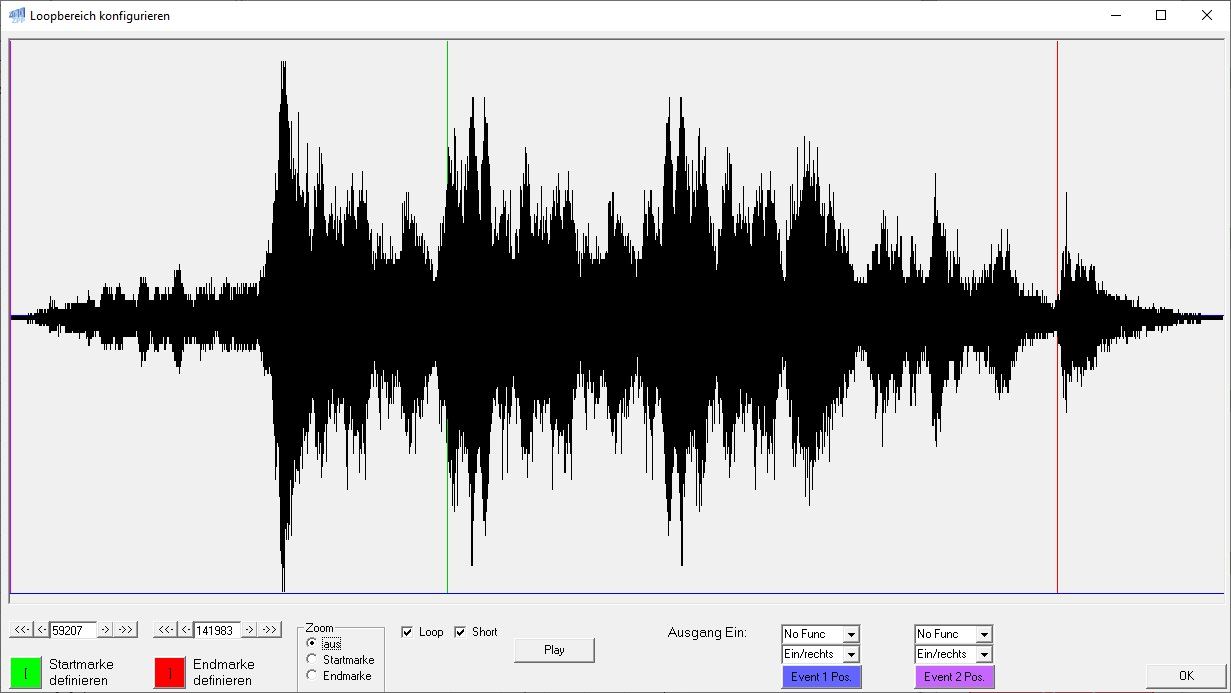
- Crash in the Loop window with very long files fixed
- References to samples that no longer exist are now highlighted in red in the script
- The sorting of samples in the script has been changed so that driving sounds are listed at the end
- Bug fix: Script ‘Light Effect 88 Dimming’ had the incorrect index 84
|
Changelog:
- Crash fixed which could have occurred if more than the maximum allowed 256 samples were assigned
- The script command “Start sound” can now receive volume values from CV #980 to CV #1019
- Light effects included
- Bug fix for .zpp saving
- Load code programming via SUSI
- Crash in the loop window with very long files fixed
- References to non-existent samples in a script are now marked in red
- The sorting of samples in the script window has been changed. Drive sounds are now shown at the end of the list
- Bug fix for sound loading progress bar
- Bug fix for script light effect 88
|
| V1.21.0 | 30 April 2020 |
ZSP Software version 1_21_0 allows sound projects (.zpr and .zpp) to be loaded onto MX and MS decoders via a USB cable from a computer. These can be loaded using a SUSI cable (MS and MX decoders; possibly from the MXTPAV) or via a ‘track’ connection (MX decoders only). Loading sound into MS decoders via SUSI takes approx. 15 mins; loading via a ‘track’ connection can take up to 2.5 hours.
The new ZSP version also includes, amongst other things, the option to load sound projects created in 16-bit (provided there is sufficient memory in the decoder) into MX decoders, whereby the sound files are converted to 8-bit. To do this, a setting must be selected in ZSP:
Decoder memory size: 128 Mbit or 32 Mbit
As soon as the memory size of 32 Mbit is selected, the ZSP loads the files as 8-bit files into the ZIMO decoder.
For further changes in the current ZSP software, please refer to the changelog (click on ‘Help / Changelog’).
Changes
- Light suppression buttons: 4th output added
- 44kHz/16-bit samples are now automatically converted to 22kHz/8-bit by the MX decoder
- Importing sound (via USB cable, MXULF and SUSI) into the MS decoder now works
- When inserting a line in a script, do not move the jump to that line
- Info texts can contain label names in {} or [], which are then displayed during jumps
- In the script, a "" is displayed for all states that represent a jump target
- In the script, the jump target state is now highlighted in red when the source state is selected
- Simulation parameter ‘Diesel stage’ added
- The ‘ZPP Konfig’ programme has been optimised for CV programming of locomotive decoders
|
ZSP software version 1_21_0 enables you to load MX and MS decoders from a computer with sound projects (.zpr and .zpp) via a USB cable. These can be loaded via a SUSI cable (both MS and MX decoders; possibly from MXTPAV) or via a ‘rail’ connection (MX decoders only). Loading sound into the MS decoder via SUSI takes about 15 minutes, whilst loading via a ‘rail’ connection can take up to 2.5 hours.
The new ZSP version also includes the option to load sound projects created in 16-bit (provided there is sufficient memory space in the decoder) into MX decoders, whereby the sound files are converted to 8-bit. To do this, a setting must be selected in the ZSP:
Decoder memory size: 128 Mbit or 32 Mbit
As soon as the memory size of 32 Mbit is selected, the ZSP loads the files as 8-bit files into the ZIMO decoder. Further changes to the current ZSP software can be found in the changelog (“Help / Changelog”).
Changelog:
- Light suppression fourth output added
- 44kHz/16-bit samples are automatically transcoded to 22kHz/8-bit for MX decoders
- Sound loading to MS decoders now works
- Script: ‘Insert new line’ no longer alters jumps to the script state where the new line is inserted
- Script: Info text sections enclosed in {} or [] are now displayed at jump destinations
- Script: All states that are jump targets are marked with a "→"
- Script: Jump targets are highlighted in red if a state is selected
- Script simulator: ‘diesel state’ parameter added
- ZPP Config: Optimised for programming non-sound decoders
|
| V1.20.0 |
23 December 2019 |
- New script command ‘Generate random number’ added
The random number can be loaded into the timer or into one of the 4 variables
- New script command ‘Set Parameter’ added (e.g. for rack-and-pinion locomotives)
Parameters that can be set:
- steam
- or switch to diesel set
- Switch chuff cycle to value from CV #828
- Open cylinder cocks
- Script limit changed from 4 to 8
- The script command “Query Function” can now retrieve the function to be tested from one of CVs #980 to #1011
(CV content: 0=F0, 1–28=F1–F28, 29=MAN)
- POM CV programming in the controller
- The script commands “Query Parameter”, “Query Event” and “Query Variable” can now retrieve their comparison value
from one of the CVs #980 to #1019
- The “Load Timer” script command can now retrieve the value to be loaded into the timer from one of the CVs #980 to #1019
- New script command “Change Variable” has been added.
The value in one of the variables can be increased by +1 or decreased by -1.
- New script command “Query Event” added
Events 1 to 8 can now be used as global variables
‘Global’ means that all scripts access the same 8 events
Events 1 to 4 can also be used to control the servos
- New script command “Query Variable” added
Variables 1 to 4 can now be used as local variables
‘Local’ means that each script has its own 4 variables
- New script command “Set Variable” added
A value between 0 and 255 can be assigned to variables 1 to 4
- New script command "Query Reed Input" added
- 44kHz/16-bit samples integrated for MS decoder
- HG tap changer sample mapping changed
|
- Add script command "Generate random value"
Random value can be stored in the timer or variables 1 to 4
- Added script command “Set parameter”. Parameters to set:
- Steam or diesel set can be changed
- Chuff rate can be set to the value in CV #828
- Cylinder valves can be opened
- Script limit changed from 4 to 8
- POM CV programming in the driver’s cab
- The script commands “Query parameter”, “Query event” and “Query variable” can now compare against the value
stored in one of CVs #980 to #1019
- The script command “Query function” can now compare against a function defined in one of the CVs #980 to #1011
(CV contents: 0=F0, 1–28=F1–F28, 29=MAN)
- The “Load timer” script command can now retrieve the value for the timer from one of the CVs #980 to #1019
- New script command “Change variable” implemented. The value of one of the variables can be incremented
or decremented by one
- Add script command “Query event”
Test one of the 8 global events
- Add script command "Set variable"
Set one of the 4 local variables
- Add script command "Query variable"
Test one of the 4 local variables
- 44kHz/16-bit samples implemented for the MS decoder
- Add a script command to test reed switch events
|
| V1.19.2 | 8 March 2019 | - Script deletion now prompts for confirmation
- Sample statistics accessible via the menu
- HLU label in the script improved
- When closing the script window via X, a prompt now asks whether changes should be saved
- Software controller: bug fix for emergency stop
- Sounds cannot be dependent on driving sounds when Loop=on
| - Query for script deletion
- Sample stats window in new menu
- HLU notations in script changed
- Query after closing the script window with X
- Bug fix for emergency stop in the software cab
- Sounds cannot be driving-sound-dependent if loop=on
|
| V1.19.1 | 30 January 2019 | - Bug fixed when opening/closing the script window
- Confirmation prompt when closing the script window with X and deleting the script
| - Bug fix in the script window
- Query for ending and deleting a script
|
| V1.19.0 | 23 January 2019 | - Function sounds can now also be played whilst the LOCO sound is active
| - Function sounds can now also be played whilst the driving sound is active
|
| V1.18.20 | 17 January 2019 | - 16-bit samples are automatically converted to 8-bit when the decoder type is set to 32 Mbit or 16 Mbit
- Script menu added for quicker access
| - 16-bit samples are automatically converted to 8-bit if the decoder type is set to 32 Mbit or 16 Mbit
- Script menu added for quicker access
|
| V1.18.19 | 19 December 2018 | - Function sounds can now be played depending on the direction of travel.
| - Function sounds can now be played depending on the direction of travel
|
| V1.18.18 | 5 December 2018 | - Bug fixed in "New Project"
| - Bug fix for “New Project”
|
| V1.18.17 | 3 December 2018 | - Bug fixed in the software controller
| - Bug fix for the software cab
|
| V1.18.16 | 26 November 2018 | - Light effects can be set in the script
| - Light effect can be set in script
|
| V1.18.15 | 26 September 2018 | - MAN button added to ZIMO mapping
- New locomotive control command ‘Prevent acceleration’ added to scripts
- Connection to MXULF improved
| - MAN key added to ZIMO mapping
- New locomotive control command “Suppress acceleration” added to scripts
- Connection to MXULF improved
|
| V1.18.13 | 24 August 2018 | - Improvements to the script editor
| - Script editor improvements
|
| V1.18.12 | 3 August 2018 | - Changelog/Release notes added to the ‘Help’ menu item in ZSP. The release notes are displayed once after every automatic update (menu item ‘Update’ → ‘Online Update’).
- Script editor added (currently only in German)
| - Changelog/Release notes added to the ZSP menu bar item ‘Help’. The release notes are displayed once after each automatic update (menu item ‘Update’ → ‘Online Update’).
- Script editor added (currently only in German)
|
| V1.18.11 | 28 July 2018 | - With the script command “EMotor Sample”, you can now select “no sample” (for no EMotor sound).
| - With the script command "EMotor Sample", you can now select "no sample" (for no EMotor sound).
|
| V1.18.10 | 26 July 2018 | - New script command “Apply diesel sequence” added
This can be used, for example, to write a script for the start-up sound and then return control to the automatic system.
| - Added a new script command “Apply Diesel Sequence”.
It can be used, for example, to write a script for the start-up sound and then return control to the automatic system.
|
| V1.18.9 | 25 July 2018 | - Script simulator enhanced
- New script parameters: HLU Limit, ABC Limit, DC Limit and Total Limit
have been added to query the current status of the brake sections. - A button has been added to reset the position of the script window.
- The script can be opened in the selection window by double-clicking
- A new line can be inserted into the script by clicking on the state number at the desired position
Immediately after inserting a new line, the contents of another line can be copied into the new line by clicking on the script number of the line to be copied. - A line in the script is now deleted by setting the command to “-”.
|
- Script Simulator Extended
- New script parameters: HLU Limit, ABC Limit, DC Limit and Total Limit
have been added to query the current braking distances. - Command to reset the position of the script window added.
- The script can be opened in the selection window with a double-click
- In the script, a new line can be inserted by clicking on the state number at the desired position
Immediately after inserting a new line, the content of another line can be copied into the new line by clicking on the script number of the line to be copied. - In the script, a line is now deleted by setting the command to “-”.
|
| V1.18.5 | 18 July 2018 | - Script simulator added
- Script import/export added
- New script command “EMotor-Sample” added
This can be used to change the sample of the “EMotor” running sound - New script command “Wait for EMotor to end” added
This can be used to create transition sounds for the EMotor by starting an EMotor sample without a loop, then waiting for it to end, and subsequently starting another sample with a loop.
|
- Script simulator added
- Script import/export added
- New script command “Change eMotor sample” added
It can be used to change the sample for the “EMotor” sequence sound - New script command “Wait for EMotor-End” added
It can be used to create transition sounds for the EMotor by starting an EMotor sample without a loop, then waiting for it to end, and then starting another sample with a loop.
|
| V1.18.4 | 14 May 2018 | - Reed4 input added
- If a sample in use is deleted, its assignment is now also deleted
- ZPP Config: CVs can be imported and exported in various formats.
The .csv format is compatible with DecoderPro – JMRI
| - Switch input 4 added
- If a sample currently in use is deleted, the mapping is now also deleted.
- ZPP configuration tool: CVs can be imported and exported in various file formats.
The .csv file format is compatible with the DecoderPro software from JMRI
|
| V1.18.3 | 8 March 2018 | - CVs for control elements are now displayed correctly in the CV list
- SUSI connection Yes/No switch moved to the ‘Decoder’ menu item
- The Sample Statistics window can be accessed via the ‘Project’ menu item
- In the Sample Statistics window, the assignment number for each sample can be displayed and changed
- Memory display changed
- The shunting button and half-speed setting via CV #124 are displayed in the info field
|
- CVs for controls are now displayed correctly in the CV list
- SUSI connection Yes/No switch moved to the “Decoder” menu item
- The Sample Statistics window can be opened via the ‘Project’ menu item
- In the Sample Statistics window, you can view and change the assignment number of each sample.
- Memory display changed
- The shunting key and half-speed setting under CV #124 are displayed in the info field
|
| V1.18.0 | 22 December 2017 | - Script Editor added
- Speed limit adjustable per diesel set
- Number of diesel stages can now also be set to 0
- "False start" sample class added
- Sound load via the track is more stable
- Loop counter for samples can be set from 1 to 8
| - Script Editor added
- Speed limit for each diesel set can be adjusted
- Number of diesel stages can now also be set to 0
- "False start" sample class added
- Sound loading across tracks is now more stable
- Loop counter adjustable from 1 to 8 per sample
|
| V1.16.00 | 22 May 2017 | - Diesel stages expanded from 10 to 20
- Steam and diesel sets can be copied and pasted into another set
| - Diesel speed stages expanded from 10 to 20
- Steam and diesel sets can be copied and pasted into another set
|
| V1.15.08 | 21 April 2017 | | |
| V1.15.06 | 7 June 2016 | - The Swiss mapping configuration window can now be accessed via the button next to the CV list
- Bug fixed when displaying the outputs assigned to a button
- CV names are now also included when exporting CV values
- Added ‘cornering squeal’ sound effect (configured in CV #307 and CV #308. From decoder version 35.24 onwards)
| - Swiss mapping configuration window now accessible via button next to CV list
- Fixed an error when displaying the outputs assigned to the key
- CV value export now also outputs CV names
- Added ‘curve squeal’ process sound (Configured in CV #307, CV #308. From decoder version 35.24)
|
| V1.15.04 | 9 March 2016 | - CV settings: The filter now also searches bit texts
- Double-clicking on a Swiss mapping CV opens a window. In this window, you can easily configure the Swiss mapping and the CVs are then calculated accordingly.
| - CV settings: Filter also searches for binary texts
- Double-clicking on a Swiss mapping CV opens a window. In this window, you can easily configure the Swiss mapping and the CVs will be calculated accordingly.
|
| V1.15.03 | 16 February 2016 | - Bug fix: The drop-down menus ‘Sequence sounds’ → ‘Pantographs’ → ‘Function’ and ‘Direction’ had duplicate entries under certain circumstances
| - Bug fix: Under certain circumstances, there were duplicate entries in the ‘Pantographs’ drop-down selection
|
| V1.15.02 | 21 January 2016 | - Bug fix: The ZSP process would sometimes get stuck in the Task Manager upon exit
- Fixed an error with the high-speed tap changer (switch gear) (implemented in ver. 1.13.1)
- Adjustments for more stable sound loading via MXULF
| - Bug fix: The ZSP process would sometimes get stuck in the Task Manager on exit
- Fixed high-speed switchgear bug (added in version 1.13.1)
- Adjustments for more stable sound loading via MXULF
|
| V1.14.00 | 10 November 2015 | - Sound loading via the SUSI interface (Settings → Set ‘Programme project via SUSI’)
- Software controller (Decoder → Controller (MXULFA))
| - - Sound loading via SUSI connection (Settings → Load via SUSI connection)
- Software cab (Decoder → DCC cab via MXULFA)
- CV description added
|
| V1.13.00 | 17 August 2015 | - Support for Windows 10
- Decoder type updated (MX699,…)
| - Windows 10 support added
- Decoder type updated
|
| V1.12.18 | 2 February 2015 | - Fixed a bug that caused the sound load with MXULF to crash
- New info box next to key assignments for a clearer overview
- Double-clicking the info box opens a window with additional options for the relevant key
- Improved navigation in the CV list with support for arrow keys and the Enter key to confirm a new value
- Names have been added to the CV list, and you can now filter by these names
- Double-clicking on a CV opens the binary view of that CV
|
- Fixed a bug that caused MXULF to abort the loading of the sound
- New info field next to key assignments for a better overview
- Double-clicking the info field opens a window with additional options for the respective key
- Improved navigation in the CV list through support for the arrow keys and the Enter key to confirm a new value
- The CV list has been expanded to include names, which can also be used for filtering
- Double-clicking on a CV opens a binary view of that CV
|
| V1.12.11 | 14 November 2013 | | |
| V1.12.5 | 6 August 2013 | - Two events can be defined per sound to switch function outputs on and off in sync with the sound
- Bug in the HG tap changer fixed
| - Two events per sound can be defined to enable or disable function outputs in sync with the sound
- Bug fix: high-speed stepping switch
|
| V1.12.1 | 24 April 2012 | - function key sounds extended to F28
- When setting loop points, the system automatically jumps to the next zero crossing
| - Sound function keys extended to F28
- When setting loop points, the next zero crossing is automatically skipped
|
| V1.11.5 | 14 December 2012 | - Error when reading CVs fixed
| |
| V1.11.4 | 8 December 2012 | - Adapted to new decoder software version 32.0
- Debug mode for reading/writing CVs
- Decoder type updated (MX696)
| - Adaptation for decoder software version 32.0
- Debug mode for CV read/write
- Decoder type updated
|
| V1.10.6 | 12 April 2012 | - Adaptation to new decoder software version 30.27
| - Adaptation for decoder software version 30.27
|
| V1.10.5 | 1 January 2012 | | |
| V1.10.3 | 14 July 2011 | - Adaptation for MX695 RevB
| - Adaptations for MX695 RevB
|
| V1.10 | 14 July 2011 | - Improved cooperation with ZCS
| - Cooperation with ZCS optimised
|
| V1.9.5 | 21 May 2011 | - Turbocharger exhaust sound added
| - New turbocharger sound added
|
| V1.9.4 | 16 April 2011 | - Bug fix: CVs #344 to #363 were not read back
| - Bug fix: CVs #344 to #363 were not read back from the decoder
|
| V1.9.3 | 15 April 2011 | | |
| V1.9.1 | 9 February 2011 | - Connection setup to the decoder improved.
| - Connection establishment to the decoder optimised
|
| V1.9.0 | 29 January 2011 | - Sequence for locomotives with mechanical gearbox enhanced.
| - Sequence for locomotives with mechanical gearbox enhanced
|
| V1.8.9 | 17 January 2011 | | |
| V1.8.8 | 23 December 2010 | | |
| V1.8.6 | 11 November 2010 | - Connection to decoder optimised
| - Connection to decoder optimised
|
| V1.8.4 | 29 September 2010 | - Adaptations for MX646 and MX647
- Bug fixes when programming .zpp files
| - Adaptations for MX646 and MX647
- Bug fix for loading ‘ready to use’ sound projects
|
| V1.8.1 | 29 April 2010 | | |
| V1.8. | 27 April 2010 | - Project files (*.zpr) can now be associated with ZSP in File Explorer using the “Open with” option. Afterwards, simply double-click a *.zpr file to open it with ZSP.
| - Project files (*.zpr) can now be linked to ZSP using “Open with” in File Explorer. Afterwards, a double-click on a *.zpr file is enough to open it with ZSP.
|
| V1.7.2 | 3 April 2010 | | |
| V1.7.1 | 29 December 2009 | - Loading “ready-to-use” sound projects from the start screen
- Issues with the sound load have been resolved
| - Load and programme “Ready-to-use” sound projects from the start screen
- Solved problems loading sound projects
|
| V1.7.0 | 20 October 2009 | - Function for programming the “load code”
- Function for programming “ready-to-use” sound projects
- Reading the serial number under ‘Query type’
| - Function to programme the “load code” into the decoder added
- Function to programme “ready-to-use” sound projects into the decoder added
- Read the serial number by pressing "Query decoder name"
|
| V1.6.1 | 6 March 2009 | - Default folder for sound projects can be set (→Options)
| - Default folder for projects can be selected (see the ‘Options’ menu)
|
| V1.6.0 | 4 March 2009 | | - 20 functions assignable to sounds
|
| V1.5.8 | 22 January 2009 | - Adaptations to the improved VT98 project
| - Adaptations to the improved VT98 sound project.
|
| V1.5.7 | 2 January 2009 | - Sound projects from the Internet can be opened directly as .zip files in the ZSP and are automatically copied to the projects directory.
| - Sound projects from the Internet can be opened directly as .zip files in the ZSP and are automatically copied to the projects directory.
|
| V1.5.6 | 24 December 2008 | - "VT98" sound project included in the setup
| - "VT98" sound project included in the setup
|
| V1.5.5 | 18 December 2008 | - Folder structure adapted for Windows Vista
| - Folder structure adapted for Windows Vista
|
| V1.5.4 | 9 December 2008 | - "Tap changer (switch gear)" operation sound added
| - Added sound for "switchgear"
|
| V1.5.3 | 23 October 2008 | - Fixed an error in the number of diesel stages
| - Fixed an error regarding the number of diesel stages
|
| V1.5.2 | 14 October 2008 | - Decoder update programme adapted to new batch file
| - Decoder update programme adapted to new file format
|
| V1.5.1 | 29 July 2008 | - Adapted to changes in the MX690’s hardware
| - Adaptations to the new hardware of the MX690
|
| V1.5.0 | 5 May 2008 | - Additional sequence sounds: “Thyristor” and “Electric motor”
| - Additional sequence sounds “Thyristor” and “electric motor”
|
| V1.4.12 | 3 June 2008 | - Bug fixed: Crash when saving
| - Bug fix: ZSP closed on save under certain conditions
|
| V1.4.11 | 14 May 2008 | | |
| V1.4.10 | 13 May 2008 | | - Bug fix for project import
|
| V1.4.9 | 6 May 2008 | | |
| V1.4.7 | 26 April 2008 | - Comm Port selection menu changed
| - Com port selection menu changed
|
| V1.4.6 | 25 April 2008 | | |
| V1.4.5 | 24 April 2008 |
Adaptation to MX640 Version 2.0
New features:
- Mute button
- Sound can be assigned to direction changes
- Language (German, English) can be set
Bugs fixed:
- Fixed an error when importing older projects
- CV265 was programmed incorrectly on the MX690
|
Adapted to MX640 version 2.0
New features:
- Mute function
- Option to play a sound when changing direction
- Language selectable (English, German)
Bug fixes:
- Import of older projects was incorrect
- Incorrect CV265 values are written for the MX690
|
| V1.4.0 | 4 April 2008 | First version for MX690 and MX640 | First version for the MX690 and MX640 |
| V1.3.9 | 7 March 2008 | Latest version for MX690 only | Latest version for MX690 only |









 ZIMO Sound Creator
 ZIMO Sound Editor